Our kitchen screen was an iPad mini from 2013
1 day before opening · 13 Nov 2026 · Michele Memoli, café owner · 3 min read
Our café had one spare device for the kitchen: an iPad mini 2. It was the 2013 model. The newest software it could run was iOS 12.5.8, with Safari 12.1.
I opened our app on it. The page was bare, unstyled text, and nothing responded when I tapped.
Why it looked like that
Two things were too new for that Safari.
The styles first. The framework we used for styling wrapped every rule in a feature that Safari 12 did not know. Faced with a block it did not understand, the browser dropped the whole block, and with it every style.
The code second. The app's script used a few newer pieces of JavaScript that Safari 12 could not read. When a script could not be read, nothing in it ran, so the page never woke up. That was why taps did nothing.
You did not see an error. You saw a page that looked broken, and it was easy to blame the device.
What a kitchen screen needed
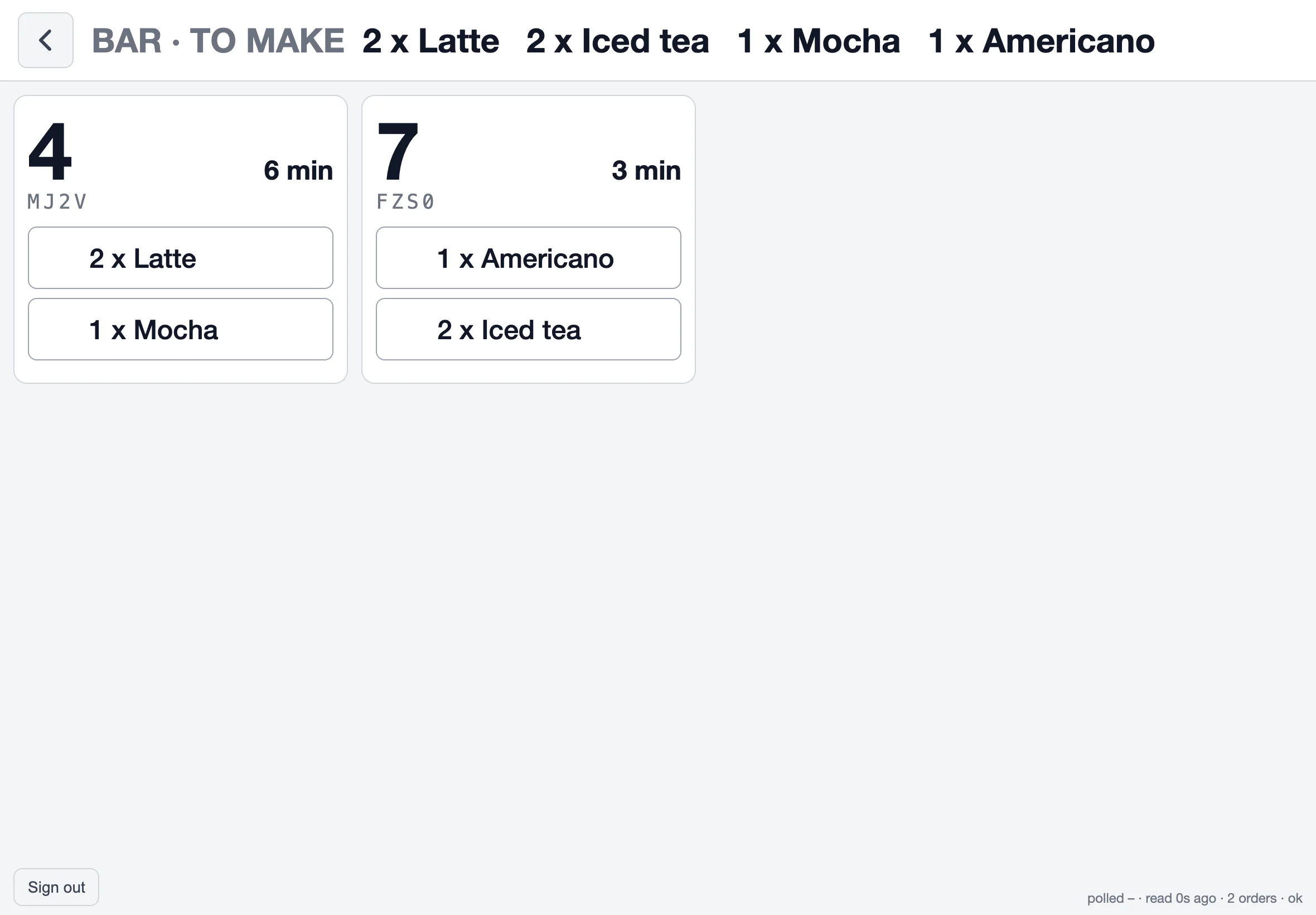
I looked at what the Station board actually did. It asked the server for the open Orders every few seconds, and it turned a tap on a line into one command: this line is done, or undo that. It did not need a big app for that.
So we built the Station board as a plain page. The server sent finished HTML, with a small hand-written stylesheet and one small pinned script for polling. Nothing in it was newer than what Safari 12 could read.
Taps felt instant. When a cook tapped a line, it crossed out at once, then the server saved it. If the save failed, the line went back and the page said "Not saved. Tap again." When the last line of an Order was done, the Order stayed on screen, crossed out and marked Done, until the next read, about five seconds. Until then a tap undid it.
A kitchen screen also had to say when it had gone quiet. If it had not read the board for 15 seconds, it showed "This screen is not updating. Check the wifi." and kept the last board in view.
Signing in on an old browser was a pain, so the screen showed a short code and a QR code. I scanned it with my phone, which was already signed in, and approved. The old iPad never had to run Google sign-in.
Then we found one more problem. On a slow device, a new read could cancel the one still in progress, so the board never updated. After that, the next read was asked for only once the previous one had finished.
The plain page worked so well on the iPad that it became the Station board on every device, not only the old one.