What the Counter said when something went wrong
2 days before opening · 12 Nov 2026 · Michele Memoli, café owner · 3 min read
Before opening, we turned the wifi off and took an Order anyway. The full test is in the first entry. Afterwards, I kept thinking about what the Counter said when something failed.
The Order waited on the iPad and a small badge in the corner said it had not been sent. That worked, but I did not like how it said it. A badge in the corner was easy to miss when you were ringing up the next customer.
A failure you did not notice was worse than one you did. If staff did not see that an Order had not gone, they carried on, and the kitchen waited for something that was not coming. I did not want the kitchen to miss an Order because nobody happened to look at the corner of the screen.
What changed on the Order screen
The badge went. In its place came a message at the top of the screen, and it stayed.
- When an Order had not been accepted, the message read "1 order not sent", or "2 orders not sent", and so on. It was one message that updated its count, and it went when the last Order was accepted.
- It appeared only once an Order had been waiting 3 seconds. An Order that went through at once never flashed it.
- If the system refused an Order, a second message read "1 order refused. Tell the owner." It stayed until someone dismissed it.
Behind it, the iPad tried again every 5 seconds, and again the moment it was back online. Orders were sent only while the Order screen was open, so if you left it, the messages went, and they came back from the stored Orders when you returned.
What changed on the Station board
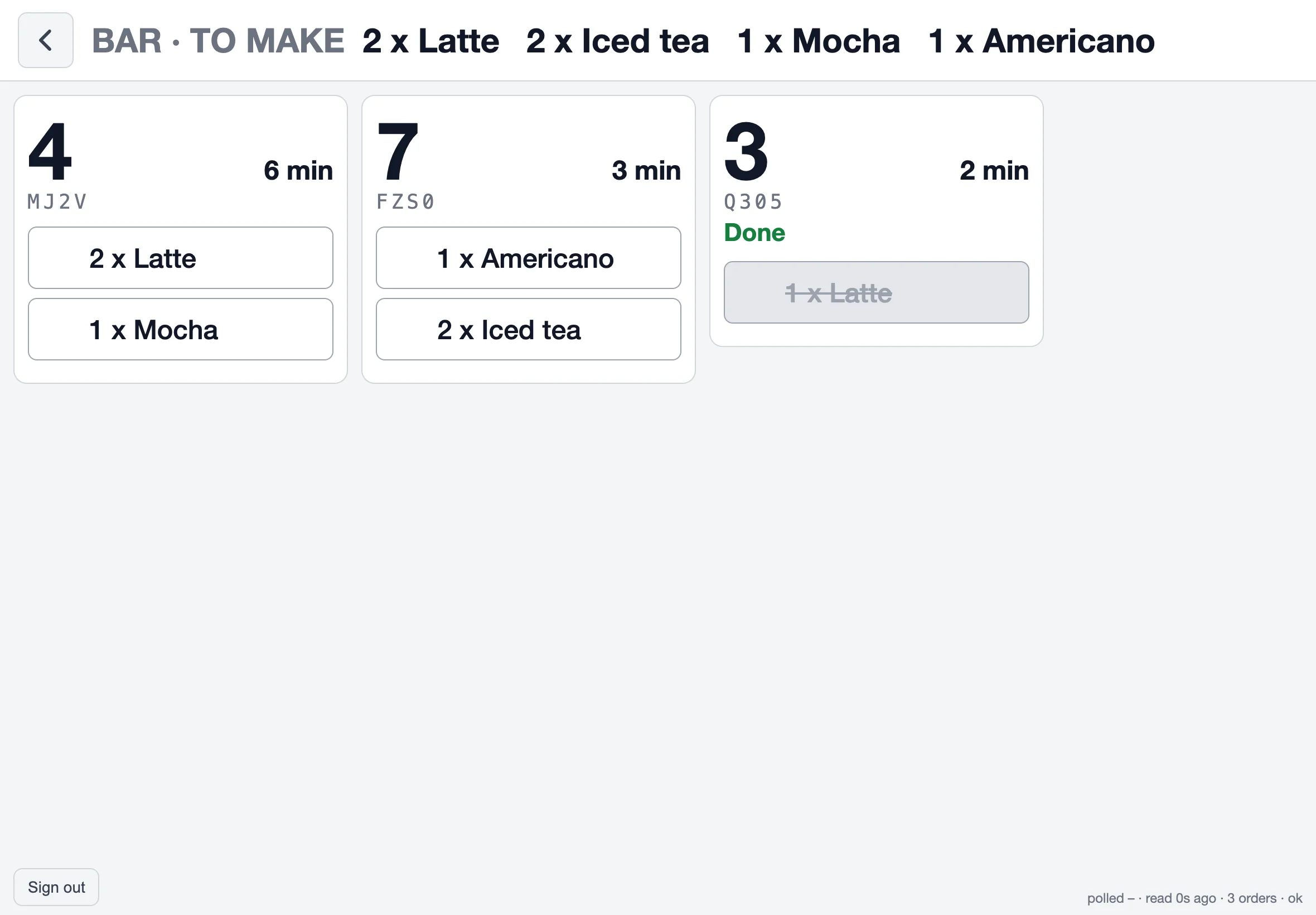
The same idea applied in the kitchen. A cook could finish an Order with a stray tap on its last row. Before, the column showed a green "Done" for 5 seconds and the only way back was to spot it and tap the crossed-out row again in time. A cook who noticed a moment later had lost the Order from the screen.
Now the rows stay crossed out, and the column leaves after 5 seconds. The tap that finishes an Order shows a message such as "Table 3 done", or the Order's code for a takeaway, with an Undo button for 10 seconds.
Undo reversed only that tap. The Order went back on the board at once, in its place with the oldest first, even if its column had already left. The Counter kept the last 10 finished Orders for this.