We opened a café on a POS we built in two weeks
Day 0 · 14 Nov 2026 · Michele Memoli, café owner · 3 min read
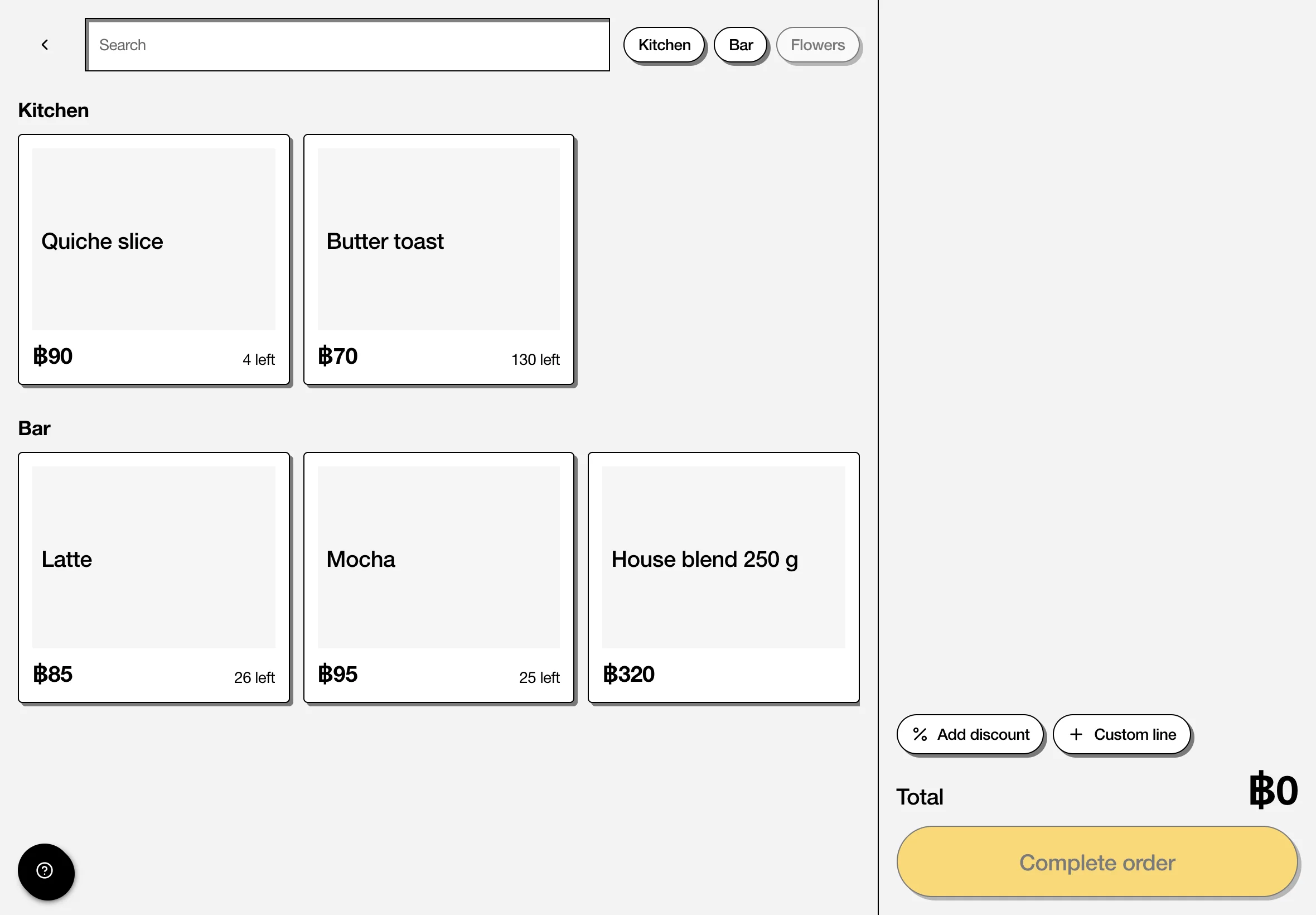
We had about two weeks to get the café ready to take Orders on an iPad and show them in the kitchen. On the night before opening, I worked through the checklist on the device itself.
So the work of the last few days was not features. It was a checklist, run on the iPad itself, before the first service.
The iPad
An iPad at a counter had to stay where we put it. We set Auto-Lock to Never, so the screen did not go dark between customers. We signed in once and added the page to the Home Screen, so it opened like an app. Then we turned on Guided Access, so staff could not leave the Counter screen by accident.
We also loaded the page once while online. It did not work offline until it had been loaded.
The Shop
The Menu was set from a file I wrote myself. An admin screen could wait until after opening. We also set the Shop's time zone and its payment QR.
The QR was static. A customer scanned it and paid, but the app could not see that the money had arrived. We would rather say that plainly than pretend the screen knew.
The test Order
We ran an Order from start to finish. The Menu tiles showed the price and what was left. An item that was sold out could not be added, because we wanted stock settled before the customer paid, not after. Then came the big total, the customer number, and the QR. The checklist said to read the total from a metre away, so I did.
When staff pressed Done, the iPad cleared at once for the next customer, and the Order appeared on the Station board in the kitchen. The oldest Order sat on the left. A cook tapped a line when it was made, and tapped again if they had tapped by mistake.
The test that mattered most
Then I switched the wifi off, built another Order, and pressed Done.
A café's wifi would drop at some point, and it would probably be during a rush. If the Order vanished, someone would be standing at the counter waiting for food nobody knew about. So the iPad kept the Order and showed "1 order not sent" until it could send it. I switched the wifi back on. The message cleared.
I reloaded the page with an Order still unsent. It was still there, and it was sent.
That was the part I trusted most, because it was the part a customer would feel.